AI Image Editor — Fast, Precise Photo Editing
Edit photos instantly with AI Image Editor. Fast retouching, background replacement and style transfers deliver production-ready images in seconds.




Feedback
AI Tools
Explore AI tools
No tools available
Check back later for new AI tools and features.
AI Image Editor Examples
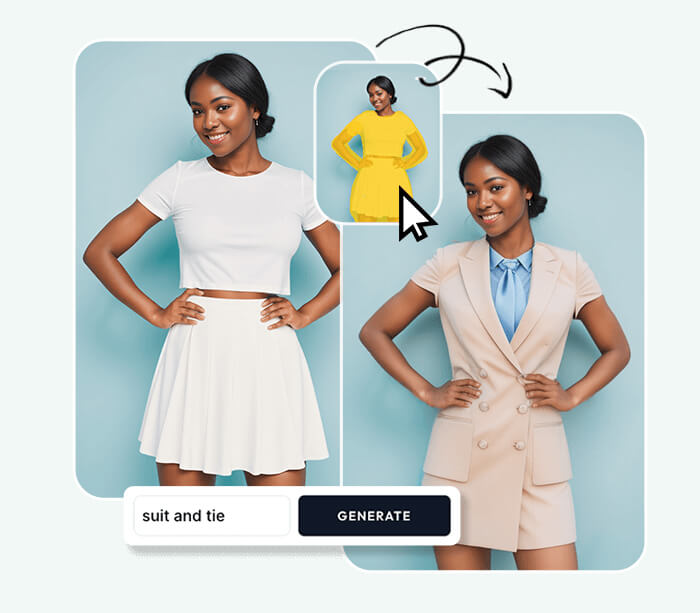
See what our AI Image Editor can do. Remove backgrounds, change styles, enhance photos instantly.


What is AI Image Editor?
AI Image Editor is a fast online tool for background removal, style transfer and retouching — designed to make high-quality edits simple.
- Easy for EveryoneDescribe edits in plain language—no design skills required.
- Fast ResultsGet quick previews and refine edits in minutes.
- Flexible ExportDownload high-quality images ready for web or print.
Why Choose Our AI Image Editor?
Our AI Image Editor is beginner-friendly and pro-ready. Multiple AI models, one-click prompts, and all-in-one workflow.

How to Use AI Image Editor
Use AI Image Editor in three steps: upload, describe edits, then preview and download the polished result.
AI Image Editor Features
AI Image Editor offers background removal, style transfer, retouching and fast color grading to produce professional-quality images.
Background Removal
Quickly remove or replace backgrounds with natural fill results.
Style Transfer
Apply creative styles and looks while preserving composition.
Color & Tone
Adjust color, exposure and contrast with simple prompts.
Object Removal
Erase unwanted elements and reconstruct backgrounds realistically.
Enhancement
Improve sharpness, noise and dynamic range for higher-quality output.
Iterative Edits
Regenerate variations and refine prompts until the result is right.
AI Image Editor — Frequently Asked
Common questions about capabilities, supported formats, processing speed and privacy for AI Image Editor.
What does AI Image Editor do?
It performs background removal, style transfer, retouching and other photo edits automatically.
Do I need skills?
No—describe the change in plain language and the editor will apply it.
Is it free?
Basic editing is free; premium options may unlock higher-resolution exports and advanced features.
Which formats are supported?
Upload JPG/PNG; download in high-quality formats suitable for web or print.
Can I refine results?
Yes—regenerate and tweak prompts to achieve the desired output.
Is my data private?
Images are processed securely; review site policies for retention and usage details.
Start Editing with AI Image Editor
Upload a photo, describe changes, and receive a polished image in seconds using AI Image Editor.